--------------------------------------------------------------------------- ZeroDivisionError Traceback (most recent call last) Cell In[1], line 1 ----> 1 print(5 / 0) ZeroDivisionError: division by zero
MATH60230 - Lecture 2
Plan for today
- Assignments
- Formatting code
- Documenting code
- Testing code
- Debugging
- AI coding assistants
- Assignment 2: Classes and exceptions
Assignments
- Don’t forget, assignment 1 is due on Tuesday morning.
- If you are stuck, please ask a question!
- Assignment 2 is available, due next Friday morning.
As long as you follow the Python syntax, your code will execute. However, you could still end up in situations like this one: 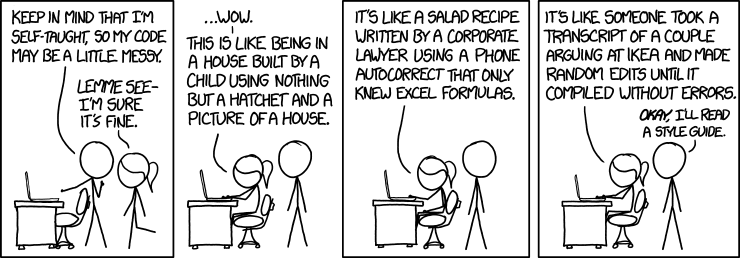
Credits: xkcd
Formatting code
- A style guide is a list of guidelines (beyond the syntax of the language) to ensure that your code is readable.
- The official style guide for Python is PEP 8.
- A formatter is a program that formats your code, i.e. it modifies it to conform to a certain style.
Documenting/commenting code
Code is more often read than written. - Guido van Rossum (creator of the Python language)
- Formatted code is nice, but it’s not always enough to make it readable.
- You should comment your code when appropriate.
- A comment is in Python is started with the
#character. - It is also common to write multiline comments using
""", which actually creates a string
Example
# This is an example of a comment
import math #  A comment can also appear at the end of a line.


"""
This is a multiline comment.

It is actually a string, but since it is not assigned to any variable
it has no effect on the code.

According to PEP8, comments should not exceed 72 characters (if longer
split on multiple lines.)
"""
When to comment
- At the top of a file to describe what the code in the file does.
- To describe specific section of the code.
- To describe algorithms to make them easier to read and understand.
- To add tags in the code:
When to document
Testing code
- Unit testing is a software testing method by which individual units of source code are tested to determine whether they are fit for use.
- Writing tests can seem tedious at first, but they really do help you find problems faster—especially regressions (breaking something that used to work).
- I recommend using the pytest library.
Test-Driven development
A process that puts tests at the forefront. Split features to be coded in small units (i.e. functions). Then for each feature:
- Add a test.
- Run all tests. The new test should fail (like when you begin the assignment).
- Write the simplest code that passes the new test.
- All tests should now pass.
- Refactor (i.e. improve your code) as needed, make sure the tests still pass.
Useful for math-like functions, data processing functions, etc.
Debugging
Debugging is the process of finding and resolving bugs (defects or problems that prevent correct operation) within computer programs.
- A simple way to debug is to use
print()to show the values of variables, but it has limits. - VS Code has an integrated debugger.
Useful links:
Exceptions
Exceptions in Python arise when there is an error when the code is executed:
Exceptions (2)
You can raise your own exceptions to signal errors you detect in your code:
---------------------------------------------------------------------------
Exception                                 Traceback (most recent call last)
Cell In[2], line 3
      1 error = True
      2 if error:
----> 3     raise Exception("There was an error")

Exception: There was an error
Exceptions (3)
Sometimes, it is useful to catch and handle exceptions:
Exceptions (4)
The complete set of clauses is:
try: run this code.except: execute when there is an exception.else: execute when there are no exceptions.finally: always run this code at the end.
Exceptions (5)
It is best to be as specific as possible when catching exceptions:
I got a ZeroDivisionErrorThe above code will not crash if there is a ZeroDivisionError, but will crash if there is another type of error.
Using LLMs for Coding Assistance
- Framing Effective Questions
- Precision matters.
- Providing context helps.
- Higlight examples
- Highlight your code definition, for example using ``` or other delimiter.
- Iterative Querying
- Start broad, then narrow down.
- Refine based on model feedback.
Demo time!
- Real-World Examples
- Troubleshooting code.
- Brainstorming algorithms.
- Explaining code concepts.
GitHub Copilot
- Introduction to GitHub Copilot
- Suggests code as you type.
- Side panel for chat and agentic coding
- Benefits of Copilot
- Speeds up coding.
- Discover new libraries/functions.
- Learn best practices.
- Works with Markdown
- Free tier
- Limitations and Potential Pitfalls
- Doesn’t replace human judgment.
- Check for accuracy, especially in critical tasks.
- Check for accuracy, especially in critical tasks.
- Check for accuracy, especially in critical tasks.
- Check for accuracy, especially in critical tasks.
- I really mean it. DO NOT TRUST LLMs.
In order to use them properly, you need to know enough Python to understand what is going on.
Practical Tips for Empirical Finance Students
- Prompting Strategies
- Be specific.
- Offer clear context.
- Refine based on feedback.
- Cross-Checking and Verification
- LLMs aren’t infallible.
- Verify, especially in finance scenarios.
- Ethics and Originality
- LLMs for assistance, not mindless copying.
- Understand the line between help and plagiarism.
- See HEC’s GenAI guidelines
Future Outlook
- Potential Advancements in LLMs
- More specialized models?
- Improved accuracy and context-awareness.
- Coding’s Future with AI Assistance
- Shifts in how we approach coding.
- Balancing human creativity with AI efficiency.
- Human Expertise and AI Support
- Partnership for the best results.
- Each complements the other’s strengths and weaknesses.
Assignment 2
- Reading and parsing files
- Objects and classes
- In Python, everything is an object!

MATH60230